The ultimate guide to closed-loop marketing for Indian SMBs
On this page
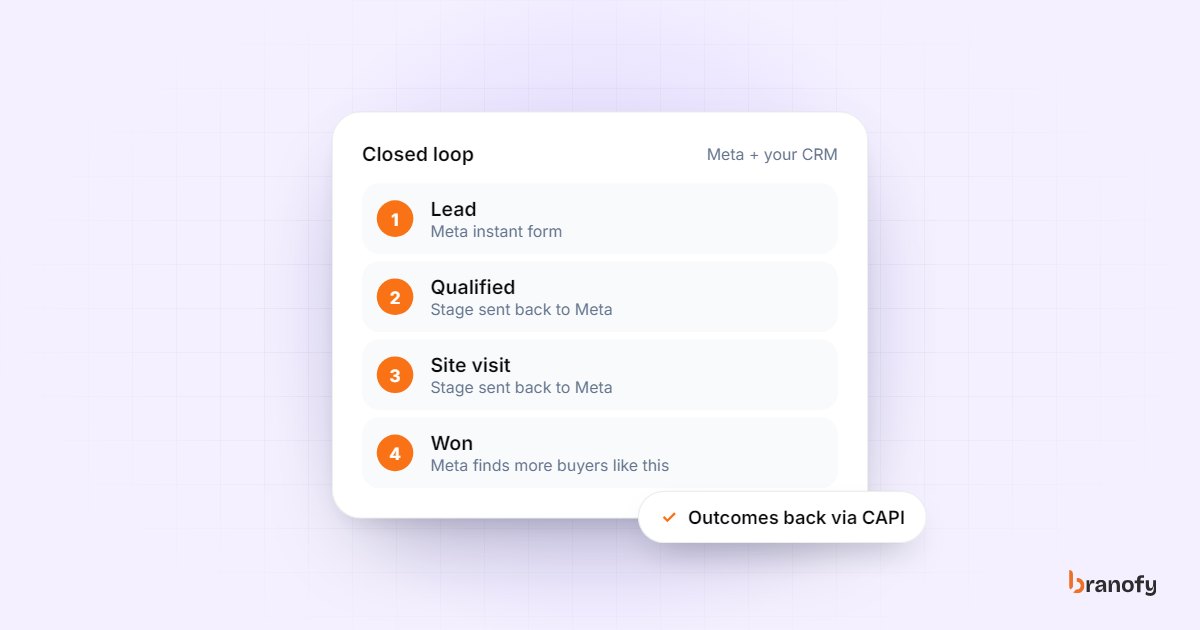
Closed-loop marketing means sending what happened to each lead after the enquiry, such as whether it qualified, visited or bought, back to your ad platforms and your reports. Without that loop, Meta and Google optimise for whoever fills in a form fastest and you judge campaigns on cost per lead. With it, the ad platform learns which people actually became customers, and you can see which campaigns produce site visits and sales rather than just enquiries.
This guide is for businesses that buy leads from Meta, Google and portals: developers and brokers, clinics, coaching institutes, interiors firms, car dealers and travel agencies. It covers what the loop looks like, which CRM stages you need, how the Meta Conversions API (CAPI) fits in, and how to report on it.
What "closed loop" actually means
Most lead generation runs as an open loop. The ad brings a lead, the lead goes to a spreadsheet or a sales WhatsApp group, someone calls, and what happens next stays in that person's head.
The marketing side only sees the first half: impressions, clicks, leads and cost per lead. The sales side only sees the second half: calls, visits and bookings. Nobody can say which campaign, ad or audience produced the customers.
A closed loop connects the two halves with four links:
- Capture every lead with its source. Campaign, ad set, ad, form or portal listing, stored against the lead from the start.
- Move every lead through clear CRM stages. New, contacted, qualified, visit booked, visited, won, lost.
- Send stage changes back to the ad platform. So Meta and Google learn which leads turned into real outcomes.
- Report by campaign on the later stages. Cost per qualified lead, cost per visit and cost per sale, not just cost per lead.
If any one of these links is missing, the loop stays open.
Why an open loop costs you money
When Meta only hears "lead", it does what you asked: it finds more people who are likely to submit a form. Those are not always the people who buy. Cheap leads from people who tap "Submit" without reading, wrong numbers and casual browsers all count as success.
The result is a pattern many Indian advertisers recognise. Cost per lead looks fine, sometimes very good, but the sales team says the leads are poor. Marketing points at the dashboard, sales points at the call logs, and there is no shared number to settle it.
Closing the loop gives both sides the same number: what each campaign costs per qualified lead, per visit and per sale.
Step 1: capture every lead with its source
The loop starts at capture. Every lead needs to arrive in one system, automatically, with its source attached.
- Meta instant forms: connect them directly so each lead arrives with its campaign, ad set, ad and form, plus Meta's own lead ID. You will need that lead ID later.
- Google Ads lead forms and website forms: pass the campaign and click details through to the CRM.
- Portals such as 99acres and MagicBricks: sync them directly instead of copying leads from email alerts.
- Walk-ins, referrals and calls: tag them by hand, but tag them, so they do not pollute your ad numbers.
If your team downloads leads in batches or forwards them to WhatsApp groups, the source is usually lost on the way.
Step 2: define CRM stages your team will actually use
Closed-loop marketing is only as good as your stage updates. Keep the stages few, specific and tied to something that really happened.
| Stage | What it means | Who marks it | Send to Meta? |
|---|---|---|---|
| New | Lead received, not yet contacted | System | Yes (raw lead) |
| Contacted | A real conversation happened | AI call or sales rep | Optional |
| Qualified | Budget, need and timeline fit | AI call or sales rep | Yes |
| Visit or appointment booked | Site visit, consultation or counselling session scheduled | AI call or sales rep | Yes |
| Visited | The visit or appointment actually happened | Sales rep | Yes |
| Won | Booking, admission, sale or treatment confirmed | Sales rep | Yes |
| Lost | Not interested, wrong number, broker, out of budget | AI call or sales rep | Optional, with a reason in the CRM |
Adapt the names to your business. A clinic might use "consultation booked" and "treatment started"; a coaching centre might use "counselling done" and "admission". What matters is that each stage is defined once and used the same way by everyone.
Make stage updates fast
The loop breaks when stages are updated days late, or not at all. Two things help. First, automate the early stages: if an AI call qualifies the lead, the CRM can mark it qualified on its own. Second, make the later stages a one-tap action for the sales team, and review missing updates weekly.
Step 3: send outcomes back to Meta through the Conversions API
The Meta Conversions API lets you send events from your CRM to Meta. For lead businesses, Meta has a specific setup for this, which it calls the Conversions API for CRM integration. Once it is set up, you can use the conversion leads performance goal, which Meta says "may yield higher quality leads that are more likely to convert".
According to Meta's own documentation, the fit guidelines are:
- Your leads come from Facebook or Instagram lead ads (instant forms).
- You generate at least 200 leads a month.
- You can upload data at least once a day.
- The stage you want to optimise for happens within 28 days of the lead being generated.
- You store Meta's 15 to 17 digit lead ID in your CRM. If you do not have it, you can send other identifiers such as phone number or email.
Meta's implementation guide adds some practical rules. It asks you to send every stage as it is updated, including the raw lead, in real time where possible and at least daily. It allows backfilling up to 7 days, and it describes a learning phase of roughly two to four weeks before campaigns get the full benefit.
Which stage should you optimise for?
Pick the deepest stage that still happens often enough and soon enough. "Won" is ideal in theory, but if only a handful of leads close each month, or the sale takes three months, Meta has too little to learn from. For many Indian lead businesses, "qualified" or "visit booked" is the right first target, with "visited" or "won" later.
What about website and Google leads?
Leads from your own landing pages can be sent through CAPI as standard events alongside the Meta pixel. Google Ads has its own offline conversion imports. The principle is the same: send the outcomes you care about, not just the form submission.
Step 4: report by campaign on what matters
Once stages are reliable, your weekly report changes. Instead of cost per lead alone, look at:
- Cost per qualified lead by campaign and ad set.
- Cost per visit or appointment by campaign.
- Cost per sale by campaign, once you have enough sales.
- Qualification rate by source: what share of Meta, Google and portal leads qualified.
- Lost reasons by source: wrong numbers, brokers, out of budget, not reachable.
A campaign with a higher cost per lead but a much lower cost per visit is the better campaign. You cannot see that without a closed loop.
What closed-loop marketing does not do
It is worth being clear about the limits, because a lot of marketing copy overpromises here.
- It does not set your budgets for you. Meta uses the outcomes to choose who sees your ads within each campaign. Deciding how much to spend on which campaign is still your decision, made from the report above.
- It does not fix a weak offer or a slow sales team. If leads wait a day for a callback, they will not qualify, and Meta will learn from fewer good outcomes.
- It takes time. Expect a learning phase after you switch goals, and judge results over weeks, not days.
How Branofy handles the loop
Branofy's Lead Navigator captures leads from Meta, Google Ads, 99acres, MagicBricks, website forms and CSV into one CRM with pipelines, so source and stage live in one place. Its Pre-Sale Agent calls each new lead within 10 seconds and marks it HOT, WARM or COLD, which keeps early stages updated without waiting for a rep. On the Pro plan, qualified outcomes are sent back to Meta through CAPI. You can see what each plan includes on the pricing page.
If you would rather have the ads and the loop managed for you, our growth marketing team runs Meta and Google campaigns optimised for meetings and site visits, with CAPI set up. Developers can see how this works end to end on the real estate solutions page.
A simple starting checklist
- Connect every lead source directly to one CRM, with campaign and lead ID stored.
- Agree on five to seven stages and write down what each one means.
- Automate the first contact and qualification so early stages update themselves.
- Set up the Conversions API for CRM and send each stage change.
- Switch one campaign to the conversion leads goal once you meet Meta's guidelines.
- Report weekly on cost per qualified lead and cost per visit by campaign.
Frequently asked questions
What is closed-loop marketing in simple terms?
+
It is the practice of feeding sales outcomes back into marketing. You record what happened to each lead after the enquiry, send that information to your ad platforms, and judge campaigns on qualified leads, visits and sales rather than form fills. The "loop" is closed because results flow back to the start.
Do I need the Meta Conversions API for closed-loop marketing?
+
You need it if you want Meta to optimise for qualified or won leads rather than raw form fills. You can still close the loop for reporting without CAPI, by tracking source and stage in your CRM. CAPI is what lets Meta's delivery use those outcomes.
How many leads do I need for conversion leads optimisation?
+
Meta's documentation lists at least 200 leads a month as a guideline, along with daily uploads and an optimisation stage that happens within 28 days of the lead. If you are below that, close the loop for reporting first and send events anyway, so the data is ready as you grow.
Which CRM stages should I send to Meta?
+
Meta recommends sending every stage as it changes, starting with the raw lead. In practice, the most useful ones are qualified, visit or appointment booked, visited and won. Choose one of those as your optimisation target, usually the deepest stage that happens often enough.
Will closed-loop marketing lower my cost per lead?
+
Not necessarily, and sometimes cost per lead rises. The aim is a lower cost per qualified lead, per visit and per sale. If Meta starts finding people more likely to buy, you may pay a little more for each enquiry and still spend less for each customer.
How Branofy does this for you
Branofy fixes lead quality from your ads
- We run Meta and Google campaigns optimised for meetings and site visits, not just cheap form fills.
- Meta Conversions API sends your qualified leads back to Meta, so it finds more people like your real buyers.
- Every lead is called within 10 seconds, so the leads you pay for don't go cold.
Want this working for your leads?
Leave your details and we'll call you back to show Branofy on your own lead flow.
Related Articles
High-converting landing page elements for Indian ad traffic
The landing page elements that turn Meta and Google ad clicks into real enquiries in India: message match, speed, short forms, WhatsApp, trust and follow-up.
January 28, 2026
Why your Facebook (Meta) ads aren't converting in 2026
Cheap leads that never pick up the phone usually point to form settings, missing CRM feedback to Meta and slow follow-up. Here is how to fix each one.
January 4, 2026
Speed-to-lead in Indian real estate: why the first call wins
Indian property buyers enquire with several projects at once, and the developer who calls first usually books the visit. How to get your response time down.
October 27, 2026